
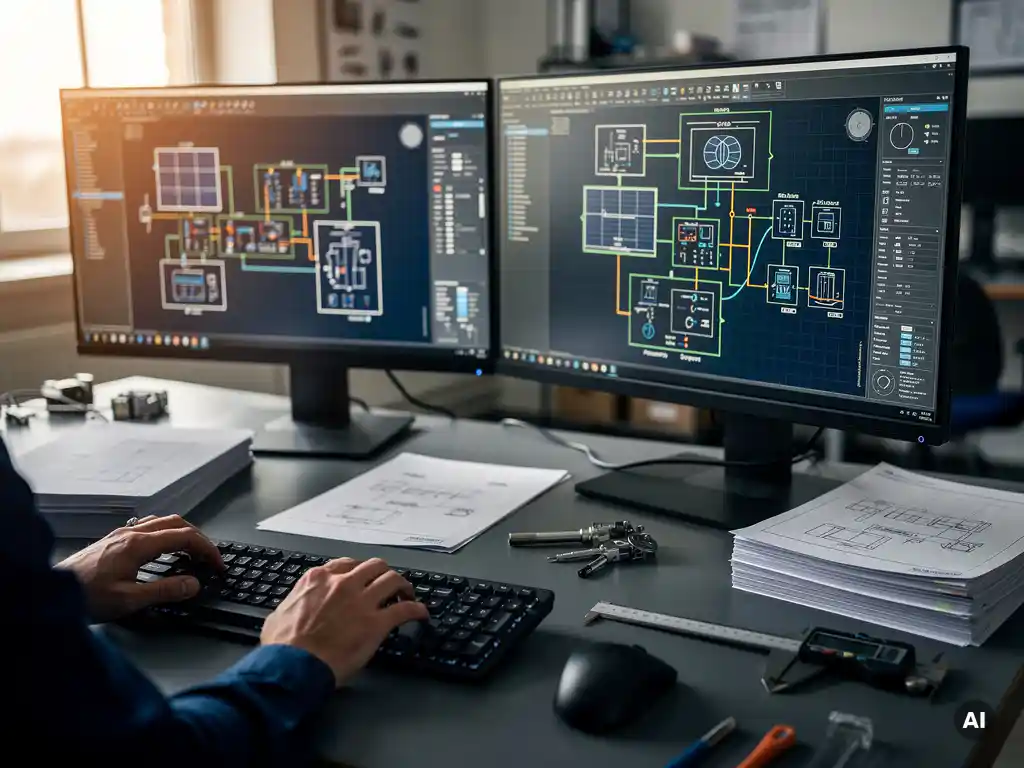

BESS design relies on a combination of specialized software tools, and no single platform handles everything. Engineers typically use energy storage sizing tools, power system simulation software, electrical CAD platforms, and sometimes dedicated battery management modeling tools, often in combination depending on project scale and complexity. This article unpacks the most common tools, how they differ from standard PV software, and what to look for when selecting the right stack for your projects.
What types of software are involved in BESS design?
BESS design involves four broad categories of software: energy storage sizing and simulation tools, power system analysis platforms, electrical drawing and documentation software, and project management or financial modeling tools. Most engineers use tools from at least two or three of these categories on any given project, since no single application covers the full design workflow end to end.
The sizing and simulation layer handles the core technical decisions: battery capacity, state of charge management, charge and discharge cycles, round-trip efficiency, and degradation modeling. Power system analysis tools then validate how the BESS integrates with the grid or microgrid, checking fault currents, protection coordination, and power quality. Electrical CAD software produces the construction-ready drawings, single-line diagrams, and documentation packages that contractors and utilities require for permitting and commissioning. Financial modeling tools sit on top of all of this, translating technical outputs into revenue projections, payback periods, and bankability assessments.
For utility-scale projects, the complexity across all four layers increases significantly. Interconnection studies, grid code compliance, and battery chemistry selection each introduce additional modeling requirements that smaller commercial projects rarely face.
What are the most commonly used BESS simulation and sizing tools?
The most commonly used BESS simulation and sizing tools include HOMER Pro, PLEXOS, SAM (System Advisor Model from NREL), PSCAD, and DIgSILENT PowerFactory. Each tool targets a different level of analysis, from high-level feasibility modeling to detailed electromagnetic transient simulation.
Feasibility and sizing tools
HOMER Pro is widely used for microgrid and behind-the-meter storage sizing, particularly for projects that combine solar, storage, and other generation sources. It runs optimization across thousands of system configurations to find the lowest-cost or highest-reliability solution. SAM, developed by NREL, is another popular choice for early-stage feasibility work, offering detailed performance modeling for PV-plus-storage systems with strong documentation and no licensing cost.
Power system and grid-level simulation tools
For grid-connected utility-scale BESS projects, engineers often turn to DIgSILENT PowerFactory or PSCAD for load flow analysis, short-circuit studies, and dynamic grid simulations. These tools are significantly more complex to operate and are typically used by power systems engineers rather than PV designers. PLEXOS is used primarily by utilities and developers for market dispatch modeling and revenue optimization analysis.
How does BESS design software differ from standard PV design tools?
BESS design software differs from standard PV design tools primarily in what it models. PV design tools focus on irradiance, module placement, shading, string configuration, and energy yield. BESS software focuses on time-series dispatch modeling, battery chemistry behavior, degradation curves, state of charge management, and grid interaction, none of which standard PV tools are built to handle.
Standard PV design platforms are optimized for static system performance: how much energy will this array produce over a year, and how should it be wired? BESS design introduces a dynamic layer, the battery charges and discharges based on grid signals, tariff structures, self-consumption targets, or frequency response requirements. Modeling that behavior accurately requires time-step simulation, often at 15-minute or even 1-minute resolution, across full annual datasets.
Battery degradation is another key differentiator. PV modules lose efficiency gradually and predictably. Batteries degrade based on cycle depth, temperature, and charge rate in ways that are more complex to model and more consequential for project economics. BESS software must account for capacity fade over the project lifetime, which affects revenue projections and warranty structuring in ways that PV yield tools simply are not designed to address.
What software is used for BESS electrical drawings and documentation?
BESS electrical drawings and documentation are typically produced in AutoCAD, BricsCAD, or specialized electrical CAD platforms such as EPLAN or AutoCAD Electrical. These tools handle single-line diagrams, protection relay schematics, cable schedules, and equipment layout drawings that contractors and utilities require for permitting, grid connection, and commissioning.
For most engineering teams, the electrical documentation workflow for a BESS project looks similar to that of a large PV project: single-line diagrams showing the battery inverters, transformers, protection devices, and grid connection point; cable sizing calculations; and equipment schedules. The difference is that BESS projects often introduce additional protection and control logic that must be documented in relay coordination studies and SCADA architecture diagrams.
AutoCAD remains the dominant platform for this work because it is already embedded in most EPC and engineering firm workflows. Plugins and extensions that automate repetitive drawing tasks, generate bills of materials, and maintain consistency across design revisions are particularly valuable on BESS projects, where design changes during procurement are common and rework is costly.
Can solar design software handle hybrid PV-plus-storage projects?
Some solar design software can handle hybrid PV-plus-storage projects at a basic level, but most PV-focused tools are limited to the solar generation side of the system. They can model the PV array, estimate energy yield, and size the inverters, but they do not natively model battery dispatch behavior, state of charge cycles, or storage-specific revenue streams like peak shaving or frequency response.
Tools like SAM and HOMER Pro bridge this gap reasonably well for feasibility and sizing work, allowing engineers to model both the PV generation profile and the battery dispatch strategy together. For detailed engineering and construction documentation, however, the PV design and BESS design workflows typically remain separate, with outputs from each feeding into the electrical CAD environment where the full system is documented.
As hybrid projects become more common across commercial, industrial, and utility-scale segments, the pressure on software vendors to integrate storage modeling more deeply into PV design platforms is growing. In 2026, most engineering teams still manage this with a combination of tools rather than a single integrated platform. If you are working on hybrid projects and want to understand how your current PV design workflow can be optimized, speaking with a specialist is a practical starting point.
What should engineers look for when choosing BESS design software?
When choosing BESS design software, engineers should evaluate five key criteria: the accuracy of the battery degradation model, the resolution of the time-series simulation, compatibility with grid code and interconnection study requirements, integration with electrical CAD workflows, and the quality of financial modeling outputs. The right tool depends heavily on the project stage and the engineer’s specific role.
- Battery degradation modeling: Look for tools that model capacity fade based on cycle depth, temperature, and calendar aging rather than applying a simple linear degradation assumption. This directly affects long-term yield projections and bankability.
- Time-series simulation resolution: Projects with complex dispatch strategies or frequency response requirements need sub-hourly simulation. Confirm the tool supports the resolution your project requires before committing.
- Grid code compatibility: Utility-scale projects require interconnection studies and grid code compliance documentation. Verify that the software outputs are accepted by the relevant network operator or that they integrate with power system analysis tools that are.
- CAD and documentation integration: If your team produces construction drawings in AutoCAD or BricsCAD, check how well the sizing outputs translate into the electrical documentation workflow. Manual re-entry between tools is a significant source of errors and rework.
- Financial modeling depth: For developer-facing work, the software should support revenue stacking analysis across multiple value streams, not just simple payback calculations.
For the PV side of hybrid projects, the same principles apply. Tools that automate string configuration, cable sizing, and single-line diagram generation within your existing CAD environment eliminate the manual bottlenecks that slow down design cycles. Virto Solar’s design platform is built around exactly this principle, keeping engineers inside the AutoCAD and BricsCAD environment they already use while automating the repetitive tasks that consume the most time on complex projects.
Frequently Asked Questions
How do I know which BESS software tool is the right starting point for my project?
Start by identifying your project stage and role. For early feasibility and sizing work, SAM or HOMER Pro are practical entry points that are well-documented and widely accepted. If you are a power systems engineer working on utility-scale grid integration, DIgSILENT PowerFactory or PSCAD will likely be required. A useful rule of thumb: use the simplest tool that satisfies your current deliverable, then layer in more complex platforms as the project advances to detailed engineering.
What are the most common mistakes engineers make when modeling battery degradation in BESS projects?
The most common mistake is applying a flat linear degradation rate, such as 2% per year, rather than modeling degradation as a function of cycle depth, temperature, and charge rate. This leads to overly optimistic long-term yield projections that can undermine project bankability and warranty negotiations. Another frequent error is failing to account for calendar aging in projects with low cycling frequency, such as seasonal storage applications, where time-based degradation can outpace cycle-based degradation.
Can HOMER Pro or SAM be used for utility-scale BESS projects, or are they only suitable for smaller systems?
HOMER Pro and SAM are best suited for feasibility, sizing, and early-stage financial modeling regardless of system scale, but they are not substitutes for the power system analysis required at the utility scale. Large grid-connected BESS projects will still require dedicated interconnection studies and dynamic grid simulations in tools like DIgSILENT PowerFactory or PSCAD to satisfy network operator requirements. Think of HOMER Pro and SAM as the front-end sizing layer, not the full engineering solution for utility-scale work.
How should engineering teams manage the handoff between BESS sizing outputs and electrical CAD documentation?
The most effective approach is to establish a clearly defined data exchange format, typically a structured equipment schedule or single-line diagram template, that captures key sizing outputs such as inverter ratings, battery capacity, protection device specifications, and cable parameters before they enter the CAD environment. Avoid manual re-entry wherever possible, as this is one of the highest-risk steps for introducing errors during design revisions. Teams working in AutoCAD or BricsCAD should look for plugins or automation tools that can ingest sizing data directly and populate drawing templates, significantly reducing rework when procurement changes occur.
What simulation time resolution is actually needed for most commercial BESS projects?
For most commercial behind-the-meter projects focused on peak shaving or self-consumption optimization, 15-minute time-step resolution is generally sufficient and aligns with standard utility interval meter data. However, if the project involves frequency response, fast demand response, or grid-forming inverter behavior, sub-minute or even second-level resolution may be required to accurately model control system performance. Always confirm the resolution requirements with the network operator or off-taker early in the project, as switching tools mid-design to accommodate finer resolution is costly.
How do financial modeling tools connect to BESS simulation outputs, and what should that workflow look like?
Financial modeling tools typically consume annual energy throughput, round-trip efficiency, degradation curves, and dispatch profiles as inputs from the simulation layer. The cleanest workflow exports these outputs from your sizing tool in a structured format, such as a CSV or Excel file, and feeds them directly into a financial model built in Excel, specialized project finance software, or a platform like PLEXOS for market revenue analysis. The key is ensuring that the degradation model used in the simulation is reflected accurately in the financial model's revenue projections year by year, rather than applying a single average efficiency assumption across the entire project life.
Are there any open-source or low-cost BESS design tools worth considering for smaller engineering teams or early-stage developers?
Yes. SAM from NREL is free to use and offers robust PV-plus-storage modeling capabilities that are well-suited for feasibility work and early-stage developer analysis. For battery degradation and dispatch modeling in Python-based workflows, open-source libraries such as PyBaMM and PVLIB with storage extensions are increasingly used by technically capable teams who need flexibility beyond what commercial tools offer. These options require more setup and expertise than commercial platforms, but they can be highly effective for teams with strong in-house modeling skills and budget constraints.
Related Articles
- How do you size a battery for utility-scale storage?
- How do you size battery storage for a solar carport project?
- How does battery storage affect DC/AC ratio calculations?
- What are the main components of a battery storage system?
- How do you know when your solar engineering workflow needs automation?
This content was generated with the help of AI — it may contain mistakes