Smarter Mounting Systems Design Starts Here
Virto.CAD and Virto.MAX give mounting systems manufacturers and installers a unified platform to configure structural catalogs, optimize part counts, and deliver buildable, manufacturer-ready PV mounting solutions.
Explore Mounting Systems Design Features
Select a feature to explore how it works
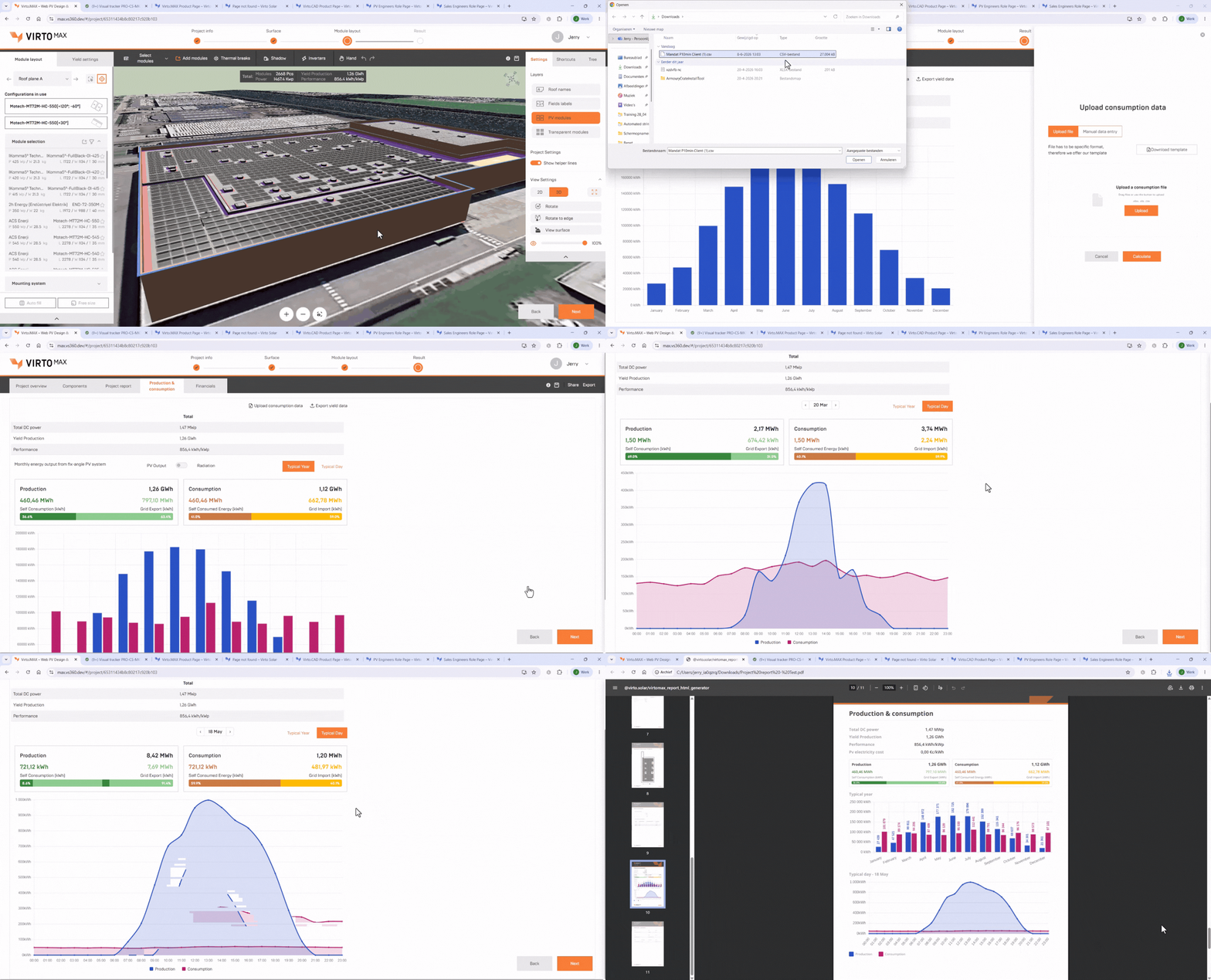
Consumption Data Upload
Upload electricity consumption data to compare energy production and consumption in one place, giving you deeper insights into system performance and self-consumption.
- Analyze production and consumption with interactive daily and yearly charts
- Include production and consumption metrics in stakeholder-ready project reports

Use Google Maps and Image Underlay
You can select an underlay as the base for your drawing, either from Google Maps or by uploading your own (PNG, JPG, or PDF).

3D Modeling and Automated Layout
Create accurate 3D site models and generate optimized PV layouts in one workflow.
- Model roofs, terrain, and obstacles with precise 3D site representation
- Automated layout for rooftop, carport, and ground systems
- Advanced layout control, including shading and thermal breaks
- Automated building generation from drone imagery and point clouds (via Virto.RISE)

Battery Sizing & Placement
Design and size battery systems with confidence
- Define input parameters and select preferred battery models to generate optimal sizing
- Place batteries at suitable on-site location based on project layout

PVsyst & CAD export
Bridge the gap between design and delivery with a connected PV workflow. Collaborate with your team through shared project access, win over stakeholders with brandable reports, and streamline engineering with frictionless .DWG exports and PVsyst-ready data.
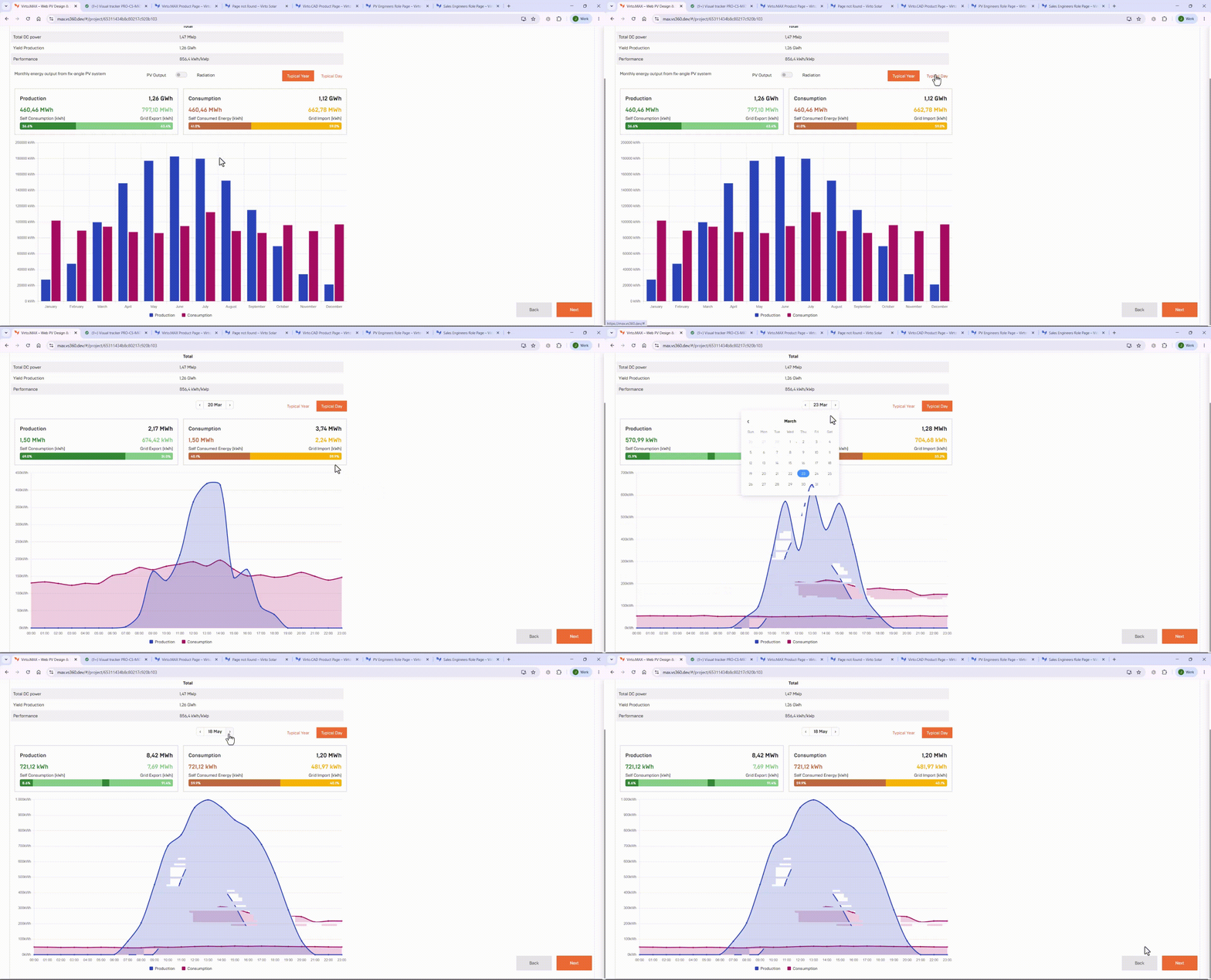
Production & Consumption Analysis
Gain accurate insight into system performance using real site and design data. Simulate energy yield, understand production and consumption, and seamlessly export results to PVsyst.
Battery Sizing & Placement
Design and size battery systems with confidence
- Define input parameters and select preferred battery models to generate optimal sizing
- Place batteries at suitable on-site location based on project layout
Preferred String Length
Set your preferred string length for greater control over inverter configuration.
- Define string length for calculated configurations
- Improve cable length estimation
Inverter Placement
Place inverters directly around ground-mounted and carport layouts for more accurate project configurations.
- Position inverters next to or underneath PV layouts
- Improve equipment placement for complex project designs

Inverter Configuration Overview
Get a clearer view of how your PV system is configured across inverters and MPPTs.
- View module and string distribution by inverter and MPPT
- Quickly review and validate inverter configurations

Shareable 3D Links
Share interactive 3D project models with customers and stakeholders through a secure, customizable link for easier collaboration and project reviews.
- Generate shareable 3D model links with customizable titles and expiration dates
- Simplify collaboration with browser-based access to interactive project designs
Simplified CAPEX for financial modelling
Simplify financial modeling with a streamlined CAPEX workflow using average cost per kWp, while keeping detailed cost inputs available when needed.
- Estimate CAPEX quickly with a simplified price-per-kWp input
- Switch to detailed cost breakdowns for advanced financial planning
Where Solar Design Becomes Build-Ready
Talk to our team to see how Virto fits your workflow.
Other Solutions

Sales Engineers
Evaluate solar opportunities faster with rapid feasibility studies, conceptual layouts, and optimized system configurations for early-stage project development.
Project Developers
Advance project development with data driven feasibility analysis, site optimization, and smarter planning workflows.
PV Engineers
Design solar projects with greater precision using integrated engineering workflows, flexible CAD tools, and construction-ready outputs built for real-world project requirements.
EPC Sales Teams
Win more EPC contracts with accurate pre sales designs, bankable proposals, and faster bid preparation.
EPC Engineering Teams
Standardize solar engineering workflows and deliver construction-ready projects faster with a flexible CAD-based ecosystem that helps EPC teams share component databases and collaborate on consistent solar designs.
Frequently Asked
Questions
Virto.MAX helps commercial and industrial solar teams turn early-stage ideas into technically accurate, sales-ready PV designs. With built-in insights into production, consumption, and financial performance, it enables smarter investment decisions and stronger business cases.
Virto.MAX is primarily designed for project developers and EPC sales teams working on commercial and industrial solar PV projects, including rooftop and utility-scale photovoltaic systems.
The platform helps users create realistic solar project visuals, optimized PV module layouts, and professional feasibility reports for faster solar project development, proposal generation, and engineering-ready planning.
Is it available in different languages?
Yes, so far we have 5 languages available.
The platform helps users create realistic solar project visuals, optimized PV module layouts, and professional feasibility reports for faster solar project development, proposal generation, and engineering-ready planning.
Check our pricing page here for an overview of the subscriptions.
Talk to our sales team for a custom quote suited to your needs.
Yes, you can start a free 14-day trial of Virto.MAX. Simply request an account, and your trial will begin automatically once your details are verified. After activation, you’ll receive immediate access to the platform, along with onboarding resources, setup information, and a guided video to help you get started quickly.