Can I test Virto.MAX?
Yes, you can request a free trial and try the software. Request an account here. Verify Your Account Details Access the platform Watch the onboarding video and start your first project!
Can I test Virto.MAX? Read More »

Yes, you can request a free trial and try the software. Request an account here. Verify Your Account Details Access the platform Watch the onboarding video and start your first project!
Can I test Virto.MAX? Read More »
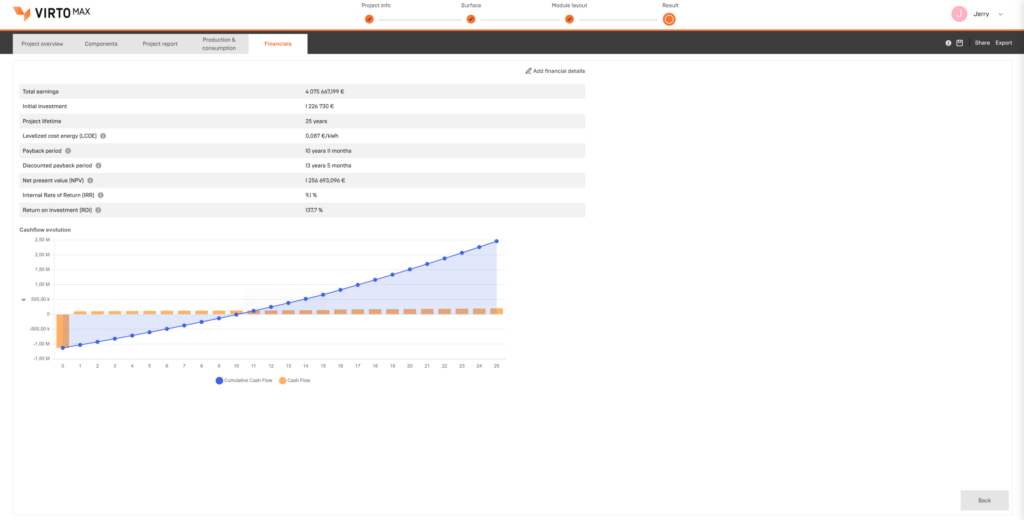
Evaluate solar project profitability early with accurate financial modeling and scenario analysis. Compare investment outcomes, understand project returns, and support faster decision-making with data-driven financial insights.
Financial Analysis Read More »
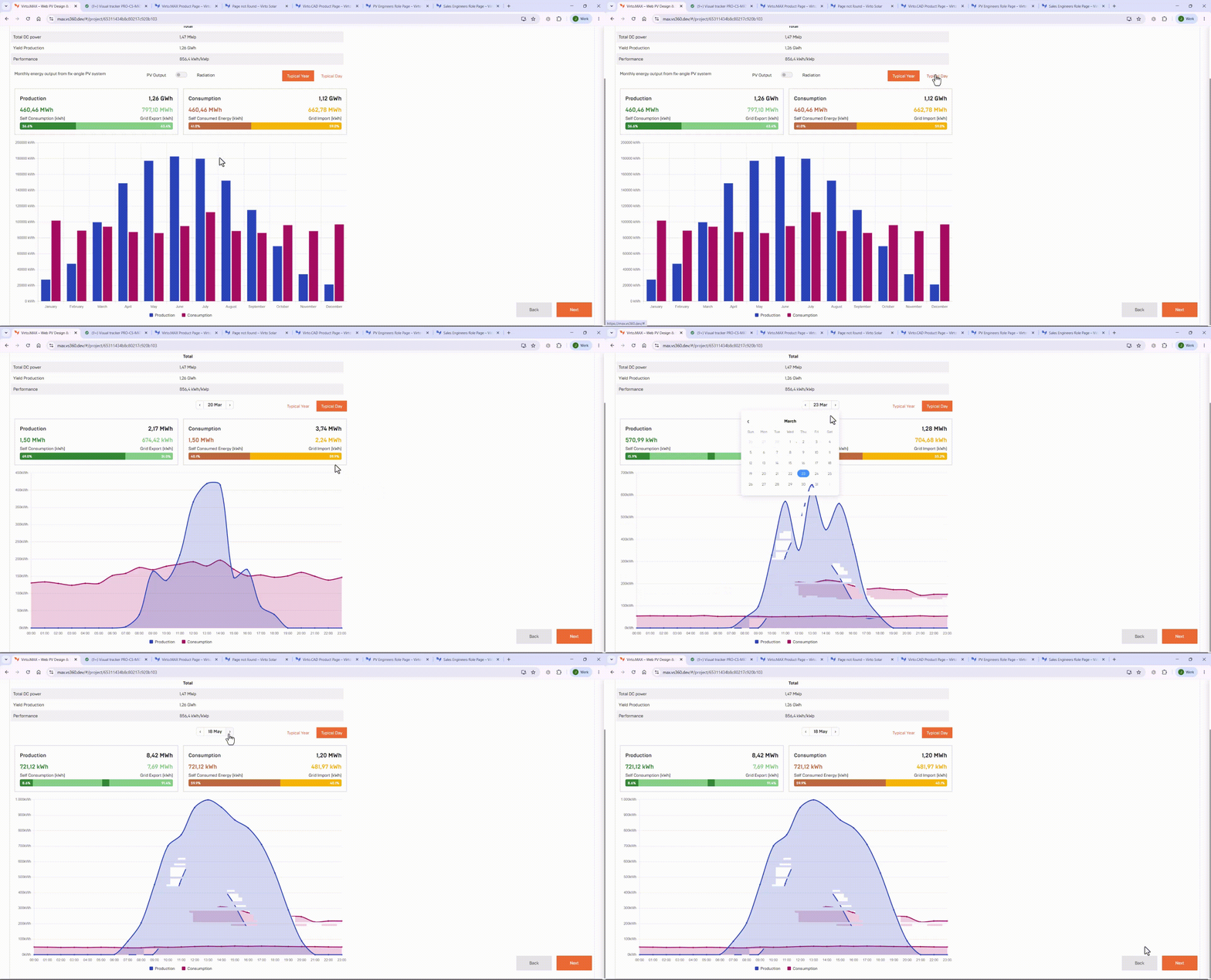
Gain reliable insight into how your PV system performs by modeling energy production and consumption based on real site and design conditions. Reduce uncertainty, improve design quality, and make better-informed technical and financial decisions.
Production & Consumption Analysis Read More »
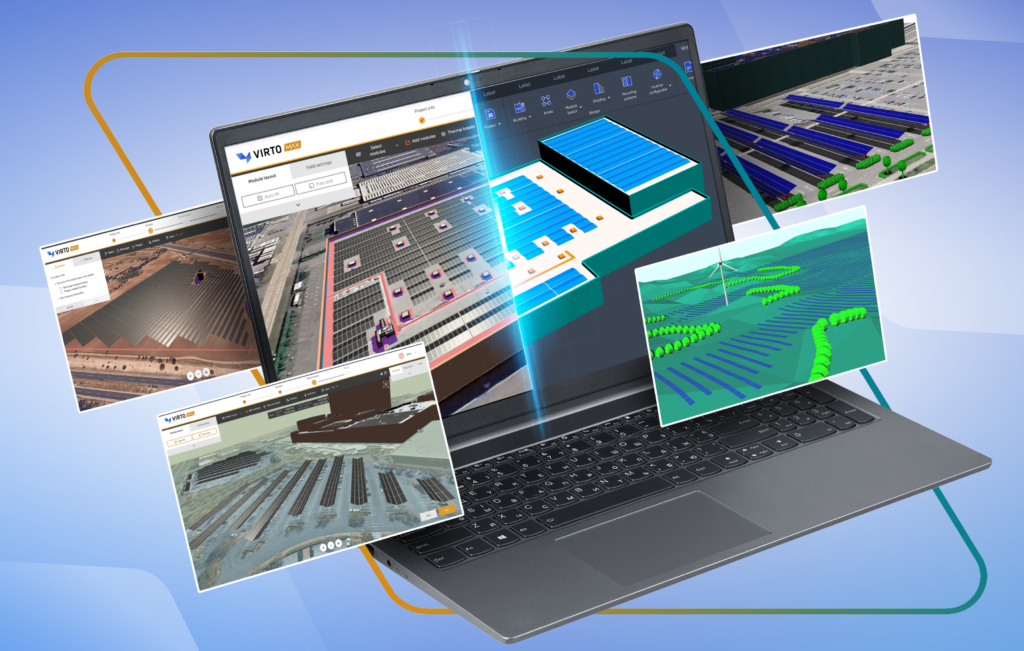
Streamline solar project development from early-stage feasibility to detailed engineering and energy yield analysis. Virto.MAX keeps data connected across layouts, electrical design, and engineering workflows to reduce rework and improve project efficiency.
PVsyst & CAD export Read More »
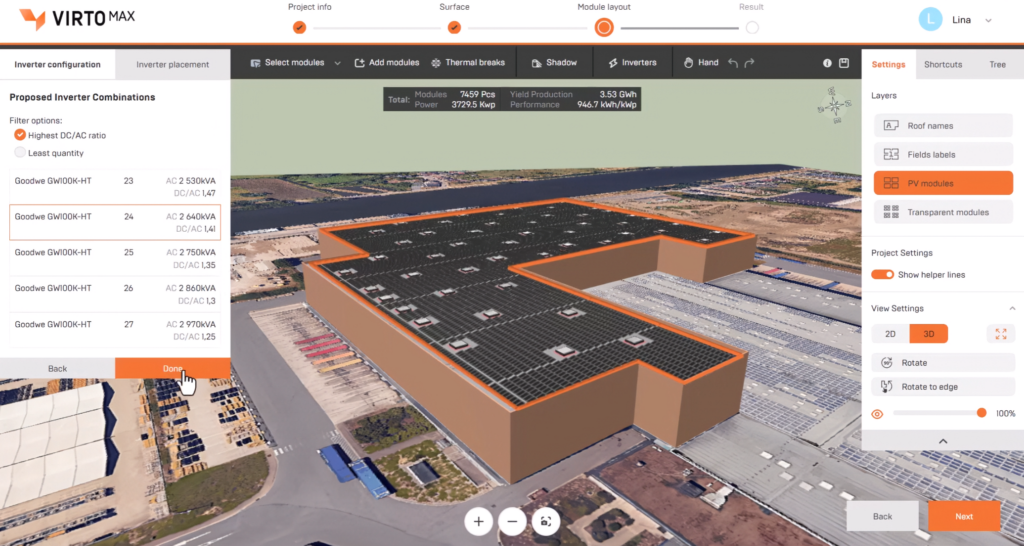
Generate optimal inverter configurations from selected inputs, place them across the site, and automatically calculate cable sizes and lengths based on layout.
Electrical Configurations Read More »

Generate optimal battery sizing from selected inputs and models, and place systems in suitable on-site locations.
Battery Sizing & Placement Read More »

Once the investment decision is made, the project can be exported to DWG for further development in CAD tools, avoiding the need to restart from scratch. This preserves the work…
Compatible with Virto.CAD Read More »

Virto.MAX enables easy creation of buildings, surfaces, and PV design obstacles. It also allows fast panel placement with shading considerations, while letting you adjust layouts…
3D Modeling and Automated Layout Read More »
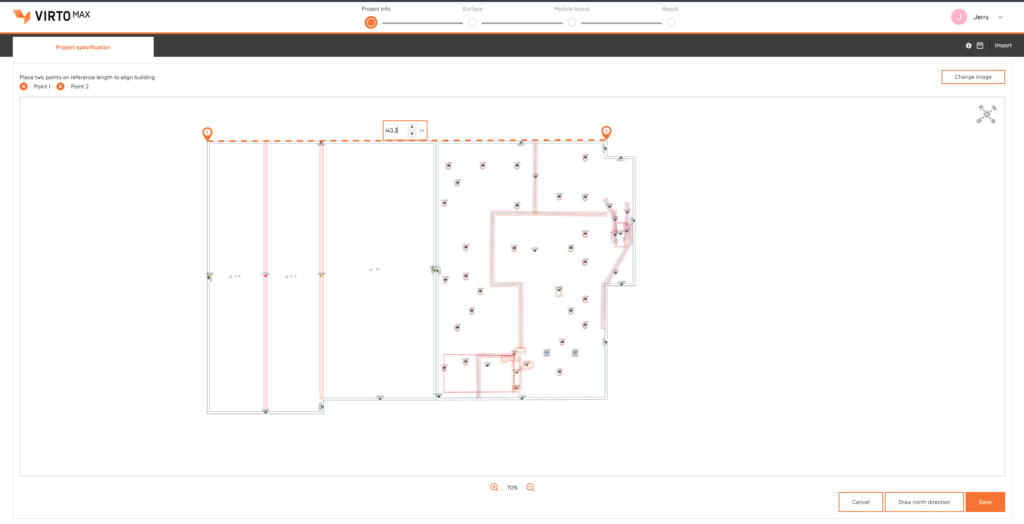
You can select an underlay as the base for your drawing, either from Google Maps or by uploading your own (PNG, JPG, or PDF).
Use Google Maps and Image Underlay Read More »

You can customize reports with your logo, brand colors, and links, creating professional outputs that match your company identity.
Customize Branding & Report Read More »